
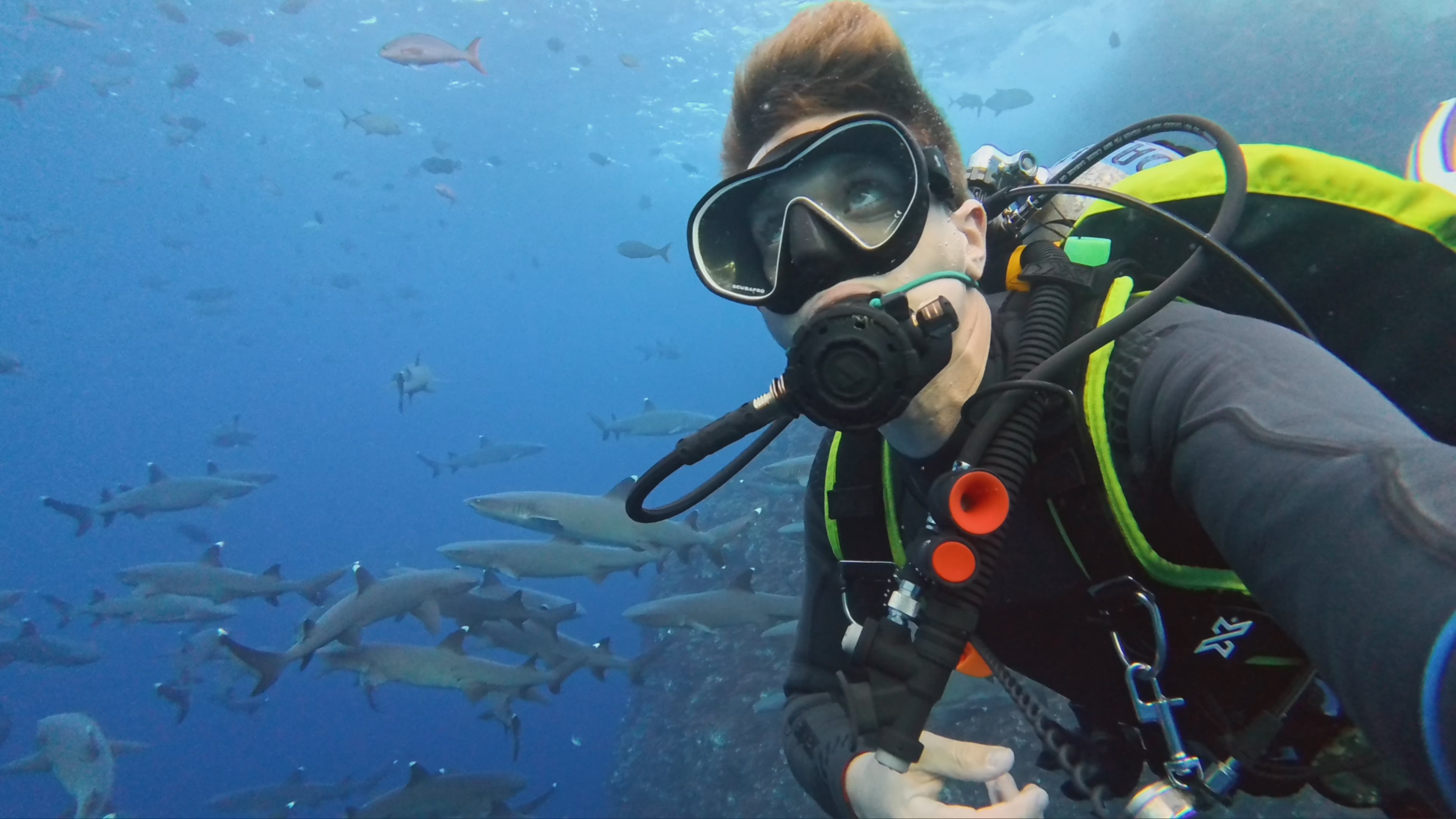
— Logbook —
We don't dive for the stats. So I built a logbook that isn't just stats.
6 min read
Most new divers only log what they've been told to log. Depth. Time. Weight. Done.
If you only ever log the stats, it's not very compelling, so it never becomes a habit. It becomes a chore you drop after your course. And if it wasn't engaging from the very first dive, why would you pick it up halfway through your diving career?
But we don't dive for the stats. We dive to see and experience amazing things, and you should be able to journal that, as well as keeping track of your numbers.
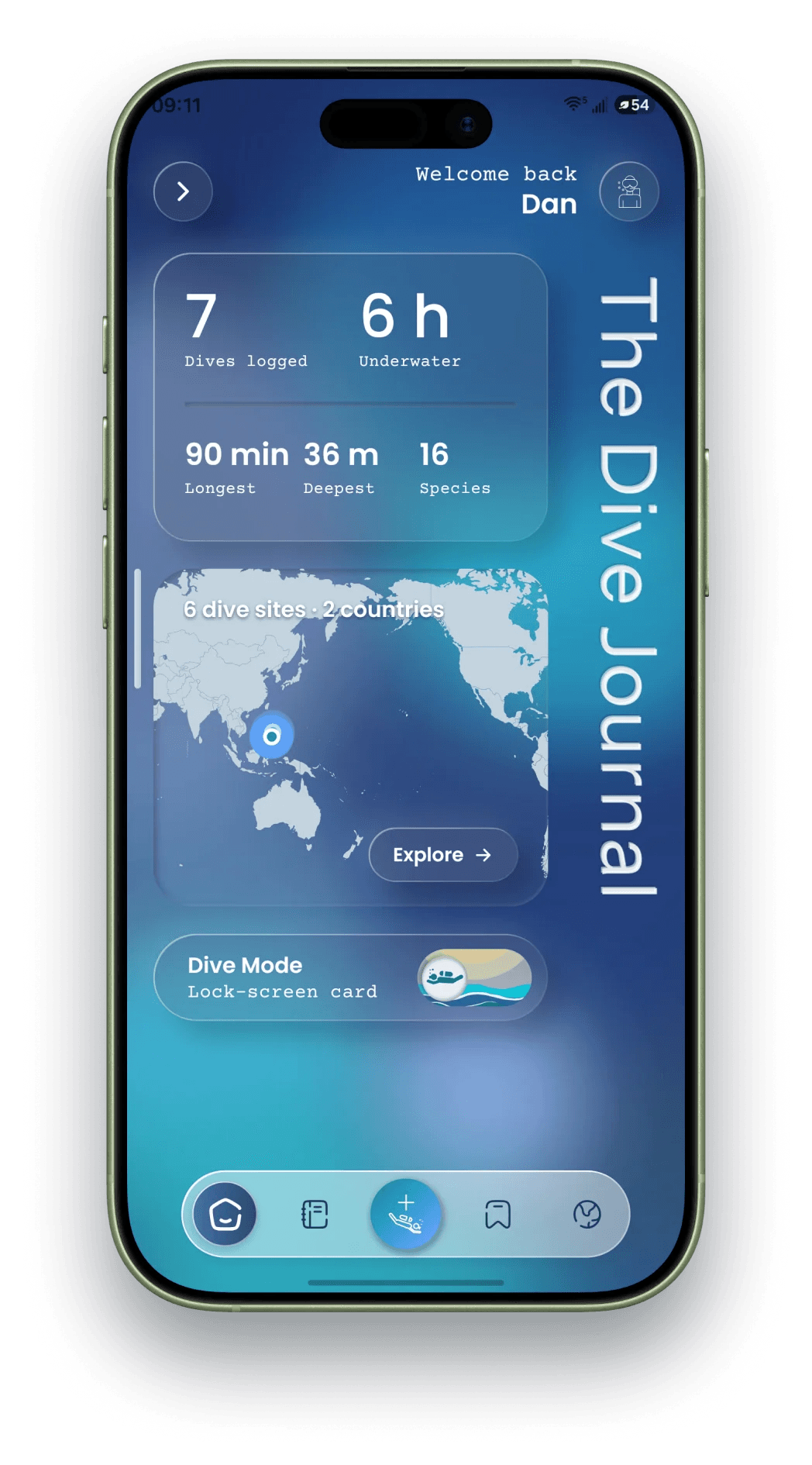
So I've made my own version. (Yes, this is a blog post about my own app. I'll try to keep the bias to a minimum!)
It's one that I think is actually fun to fill in, with a beautiful layout and the freedom to track whatever matters to you most, all in one place.
If you're new to diving, it shows your progression, what worked and what didn't. If you've been diving for years, it's those rarer chance encounters you want to capture. It's built for both, and everything in between.
Rather watch than read? Watch the film (1 minute 36 seconds) (opens in a new tab).
Hi, I'm Dan
I've been a dive instructor for the past ten years, and I started logging back in 2013 in little paper books. I don't have them anymore, and to be honest, I don't miss them. They were just numbers. Nothing I'd look back on and actually remember.
Every agency platform I've used as an instructor is the same. They're built for slightly different purposes, but in my opinion they're clunky, not very visual, and certainly not intuitive when you're logging your dives. They don't give you anything back about the dive, or an overview of your diving as a whole.
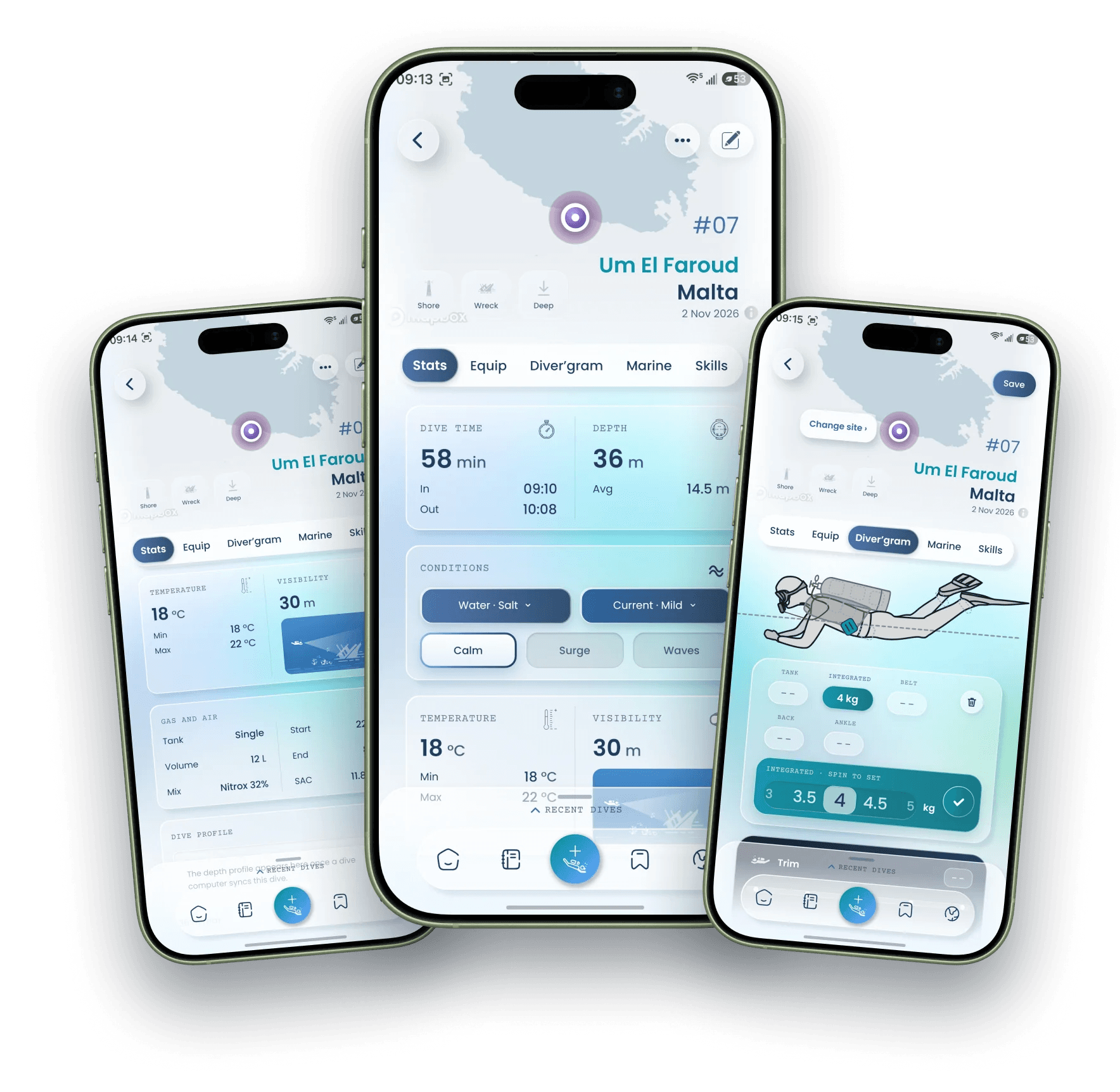
A few years ago, I designed my own physical dive journal. It was made to be more customisable, with Diver'gram to help divers with their weighting and trim. Now I've taken that same concept and built something bigger: an app that brings everything together. It turns out apps are a lot more work than notebooks. Nobody warned me.
I drew every log sheet myself
All of them, from the stats layout through to the equipment selector, with visual icons and quick selects instead of typing everything out. There's Diver'gram, a marine page and skills, along with your photos, all in one place.
It pairs with your dive computer, your Apple Watch or your Garmin, so all those accurate stats come straight into each dive log. And if you still love paper and journaling (I see you), you can export any log as a printable A5 page with one click.
"Did you see that fish?"
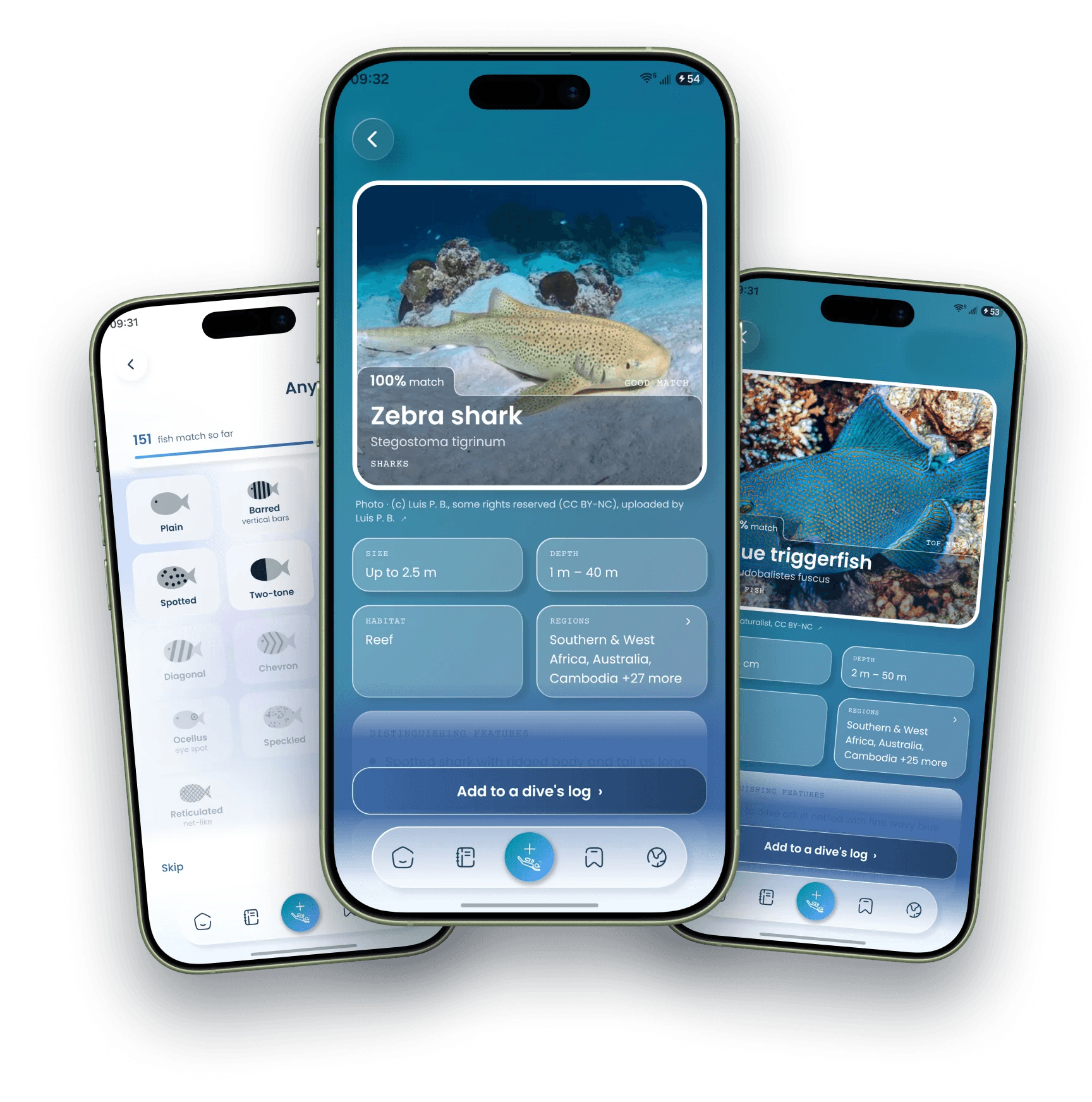
I dive with my wife, and after every dive she asks me, "Did you see that fish?" Followed by many descriptions: the shape, the size, the colour, where it was.
So I built what I call What's That Fish. It's a search tool with over 4,700 species from all over the world, and counting. Work through the filters and it narrows down exactly what you saw on that dive. And it's free to use.
The dive I can never find on my phone
If you're like me, your dive photos are somewhere in your camera roll, and they never link back to the dive.
My favourite dive ever was Roca Partida, off the coast of Mexico, for so many wow reasons. I'm forever scrolling back through my phone to show people, and over time it gets further back and harder to find.
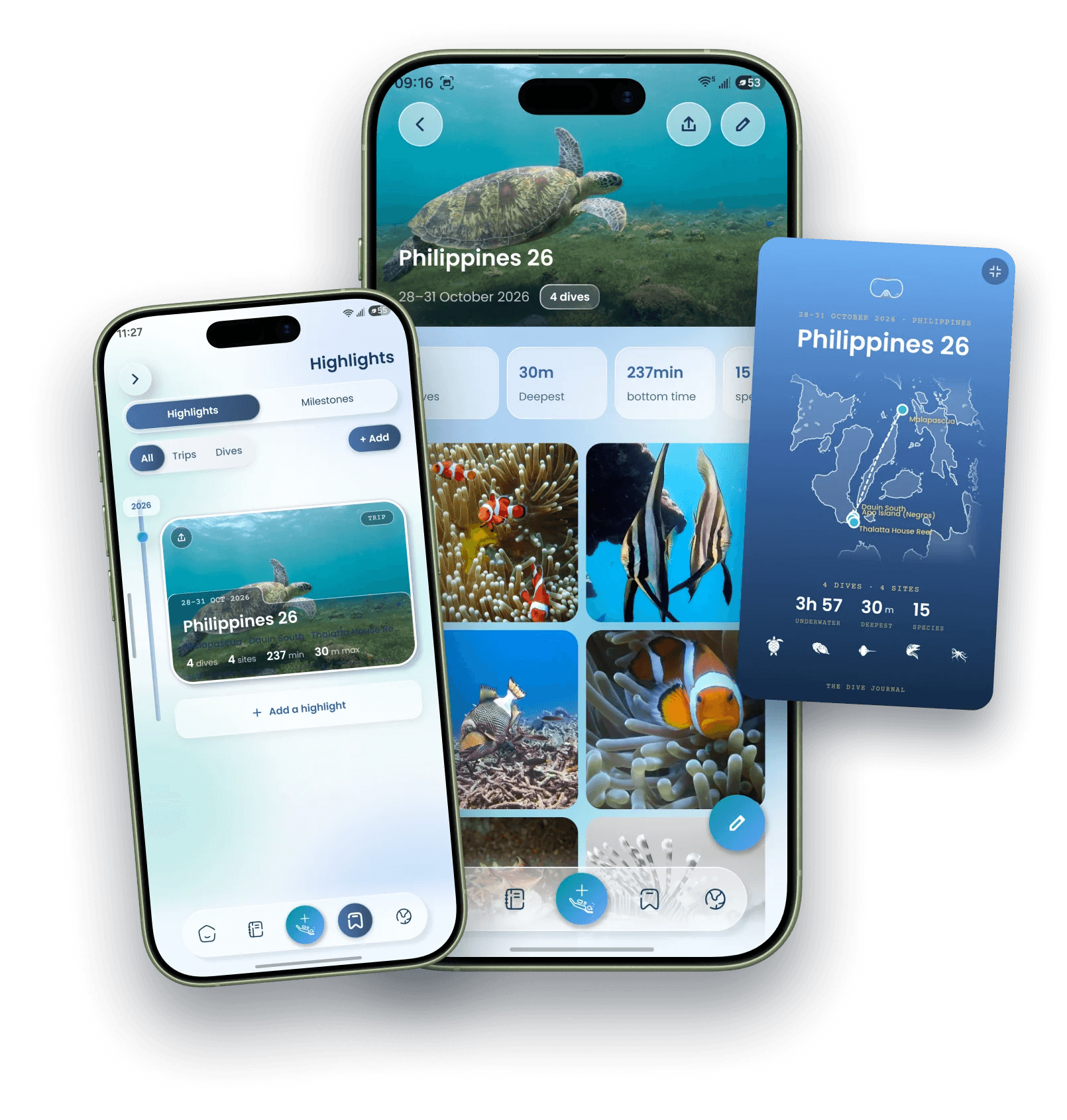
In The Dive Journal, you can group dives into highlights, with all the photos and stats in one place. Not every dive is a highlight, and not every dive is worth talking about. So you curate your favourites in a few taps.
I wish I'd written more down on every dive, especially the memorable ones you forget about. And I wish I'd had one place for the photos, because they get scattered across folders over time. So I built something that keeps everything in one place, backed up.
Explore: plan your next trip with other divers' homework
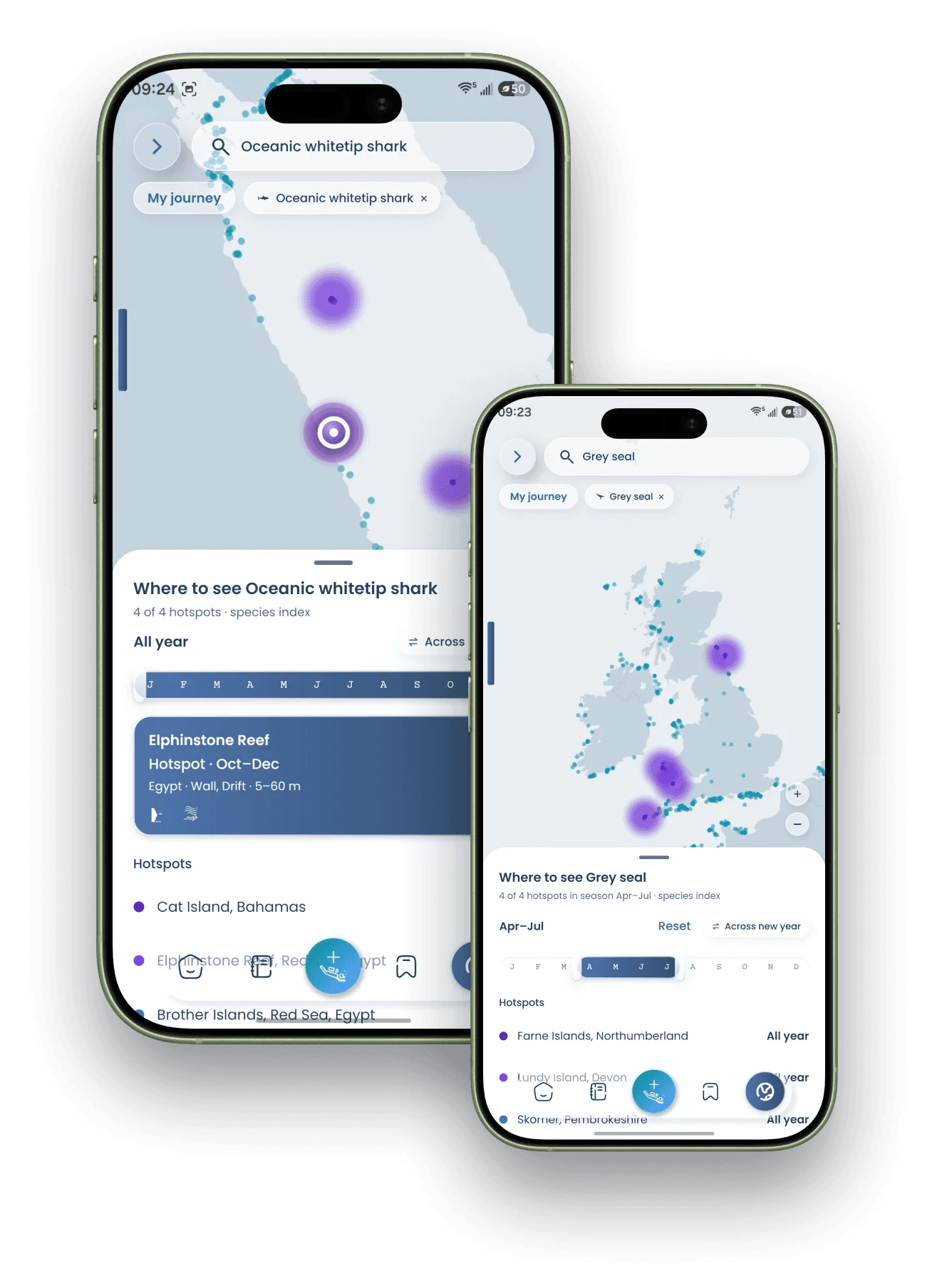
Then there's the Explore page. It's enriched by real diver data, anonymised and shared to benefit everyone's diving. You can see what people have seen and where, hotspots for the animals you most want to find, and the water temperature month by month.
You can even see what other divers wore, so you know if it's a 5 mil, a 7 mil or a drysuit. No more packing all three.
Dive Mode
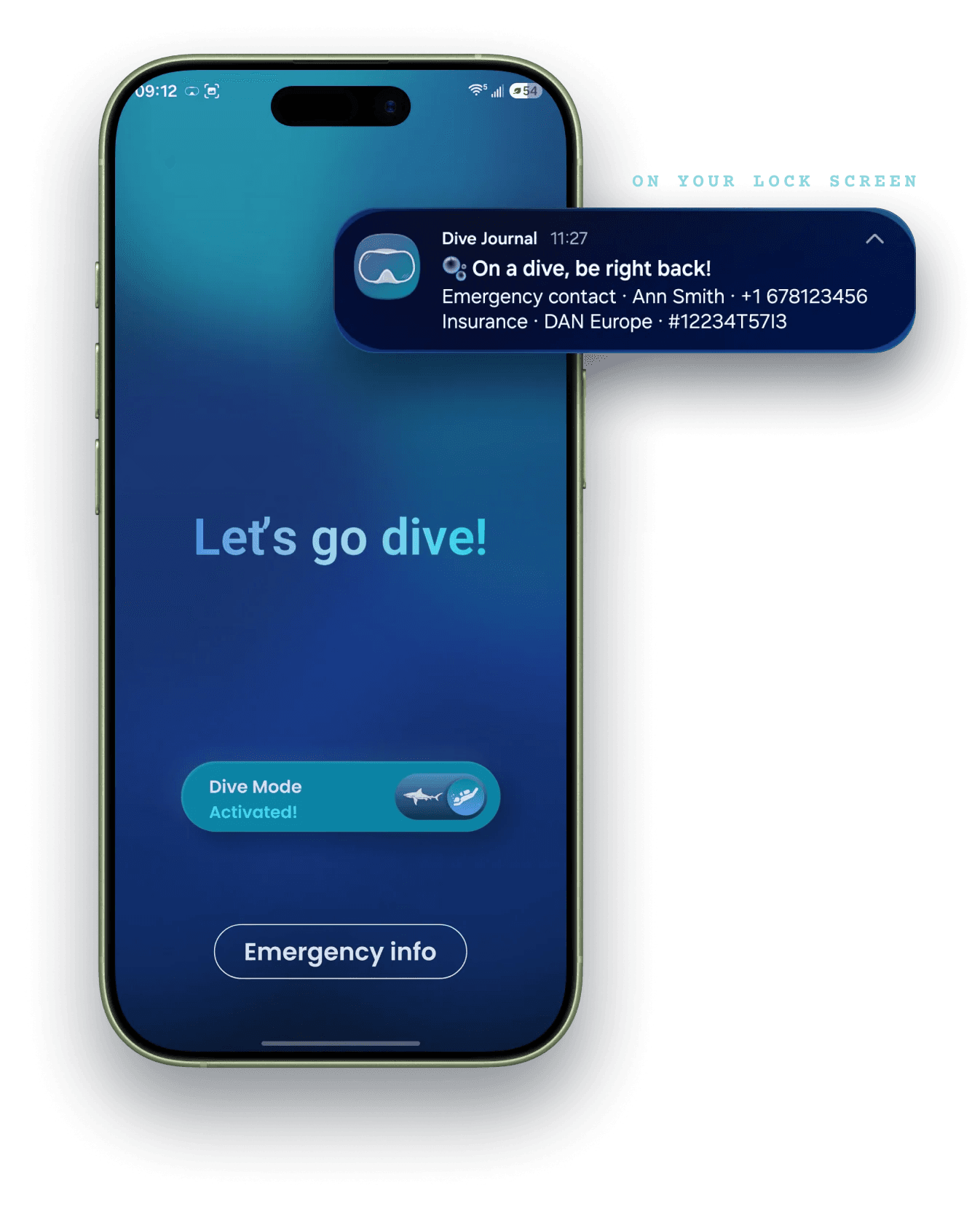
One tap puts your emergency contacts right on your lock screen. Simple, but real peace of mind while you're in the water.
And the things I ran out of room for
- Scan your paper logbook: photograph an old page and the app reads it into a draft dive for you to check
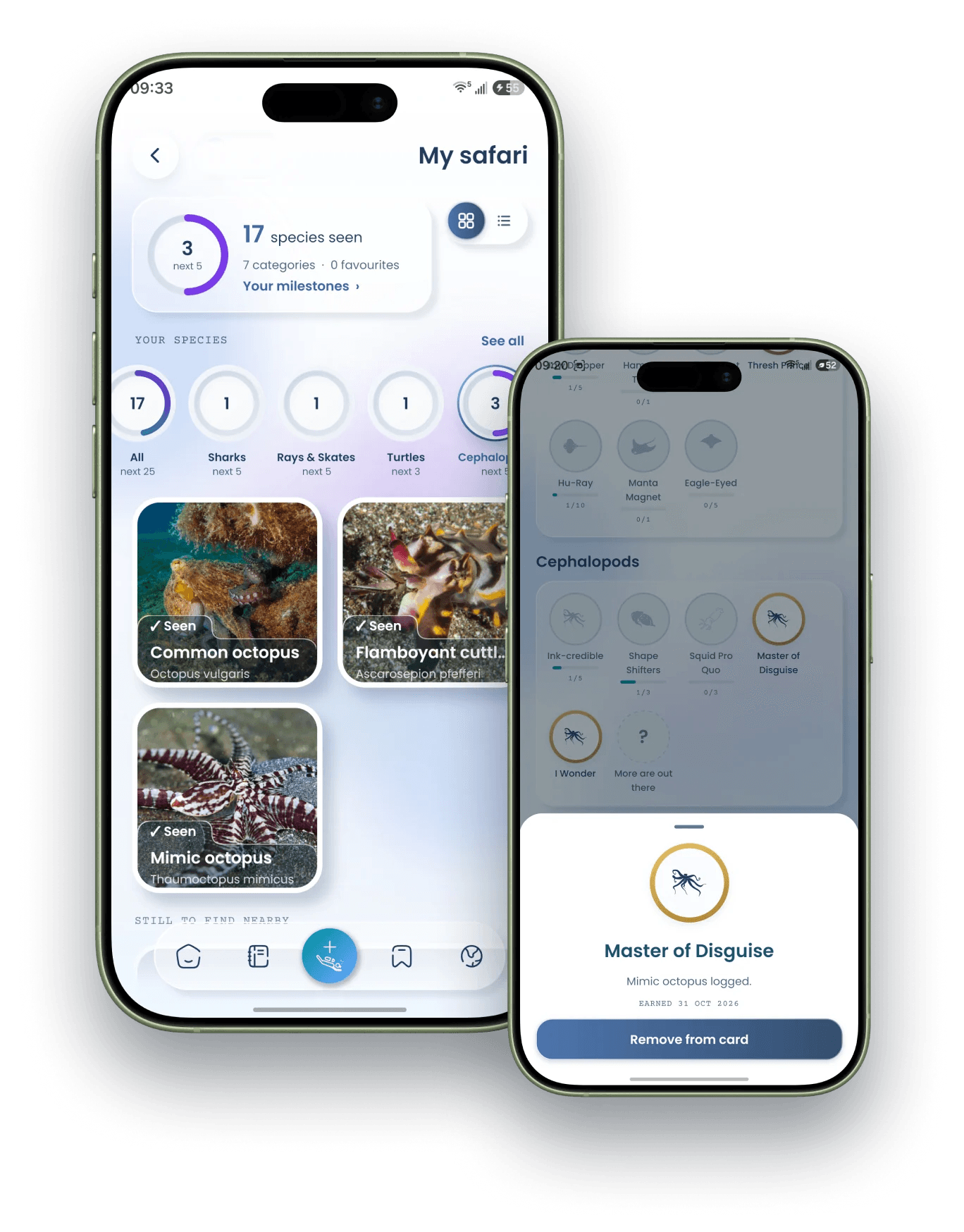
- Marine Safari and badges: every animal you tag goes into your own collection, with badges to earn along the way
- Share cards and trip videos: turn a dive or a whole trip into a story card or short video for Instagram, WhatsApp and the rest
- Buddies and sign-offs: swap QR buddy cards, and have your instructor sign a dive with a verified stamp
- Your gear: equipment presets, plus a gear library with service dates and reminders
- Your diving in numbers: dive count, hours underwater, depth records and your air consumption trend
- Credential Wallet: your cert and insurance cards on your phone, working with no signal
- Gas planning tools: a cross-check, never a dive computer
- Packing checklist for the next trip
- Works offline, and exports every dive as CSV, JSON or PDF
What it costs (not much, on purpose)
Most people dive on holiday, maybe once or twice a year, so I didn't want an app you pay a premium for all year round.
99p a month keeps your logbook safe, your photos stored and the app running. Going on a trip? Boost it for that month and you get every feature, and there's so much more I haven't mentioned. If you dive more often, Premium gives you everything, all the time.
| Plan | Price (UK) | What you get |
|---|---|---|
| Free | £0 | Your first 5 dives logged, plus Explore, the species index, What's That Fish and the packing list |
| Basic | £0.99 a month or £9.99 a year | 5 logs a month, 4 backed-up photos per dive |
| Premium | £3.49 a month or £24.99 a year | Unlimited logs, dive computer sync, advanced stats |
| Boost | £3.99 for 30 days, no renewal | Everything, for one trip |
The fish ID, the species index and the Explore page are always free. No ads, ever.
Go on, then
There are way too many features to fit in one post, so give it a download and see what you think. I built this app to try and fit in everything you'd need to enjoy logging your dives. I'm biased, but I think it's designed better than most.
There's really no one reason to log, and that's the point. Your dives, your memories, all in one place.
Get The Dive Journal at otterspockets.com (opens in a new tab). It's on Google Play now, with the App Store version on its way.
If you'd like to work on your weighting, trim or air use in person, have a look at our courses or start a conversation.
— Dan
Next step
A question this didn’t answer?
Ask a question